
Portal Activities #
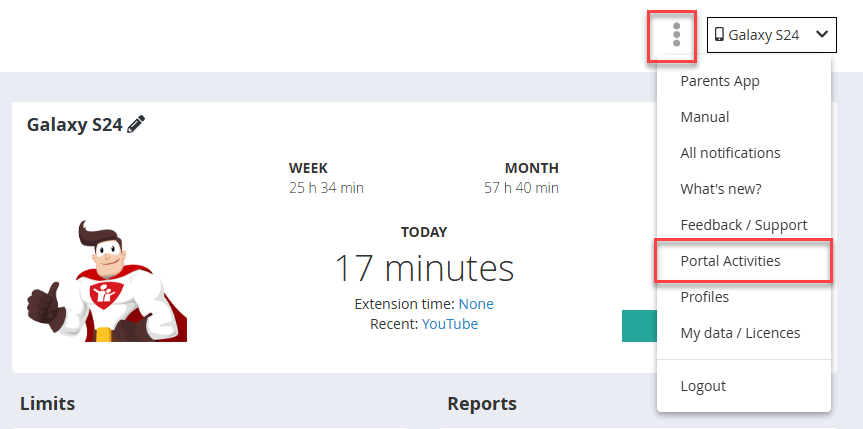
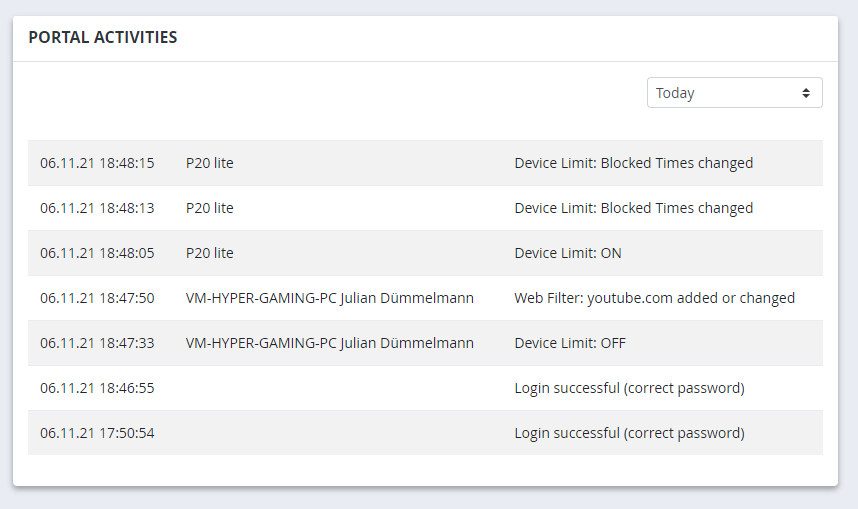
The portal activity log records all actions performed by a user in the Web Portal - for example changes to time limits, approvals, settings, or logging in and out. You can find the portal activity log in the 3-dot menu under Account.
Why does this matter? #
The Web Portal can be accessed not only via a browser, but also directly from within the child app or the parent app - using the parental password. Children who know the password can use this to change settings themselves, which is more common than you might think.
We therefore recommend checking the portal activity log regularly: are there any entries whose date or time do not match your own actions? This can be a sign that the child has found out the password.
In that case, we recommend changing the password immediately. After changing it, the new password will automatically sync to the child’s device. As a precaution, also check directly on the device that the sync worked. If in doubt, uninstalling and reinstalling the app will help.
Also check whether the password has been automatically saved in a browser on a device the child has access to.